NSPanel-Easy
NSPanel Blank - First TFT Installation
The NSPanel consists of an ESP32 board (the panel itself, controlling the relays, buttons, communications, etc.) with a Nextion display connected to it.
This Nextion display has an independent controller which also requires a firmware and its settings (the basic layout),
and this is done by a .tft file.
When you get your panel from Sonoff, their tft file is installed in the Nextion display using a so-called “Reparse mode”,
which makes it a bit challenging to replace the tft file when using ESPHome.
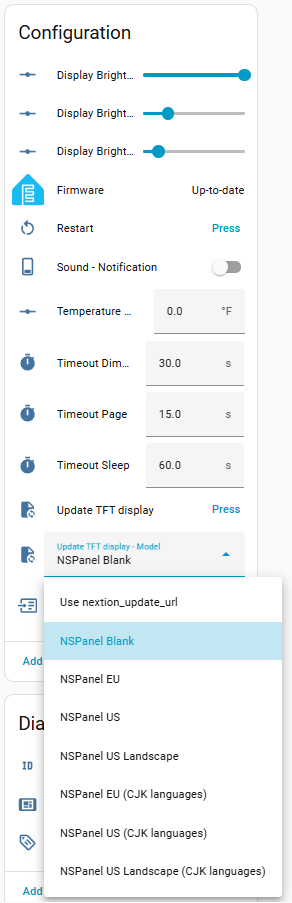
We highly recommend selecting NSPanel Blank as your first upload (this is the default for new installations),
as it is just a fraction of the size of a regular tft file and will make the first replacement much easier.
Once the NSPanel’s original tft is replaced, it is much easier to install a new tft with ESPHome,
so you can proceed directly to installing the final file
(e.g., NSPanel EU, NSPanel US, NSPanel US Landscape, or one of the CJK languages variants).
For more details on how to install the first tft file, especially if your panel is still displaying the original Sonoff screen,
please refer to the Troubleshooting TFT transfer guide.
How to install a different tft file?
Go to your device’s page (under Settings > Devices & services > ESPHome), select your Upload TFT display - Model and then press Upload TFT display.
What to do after installing NSPanel Blank?
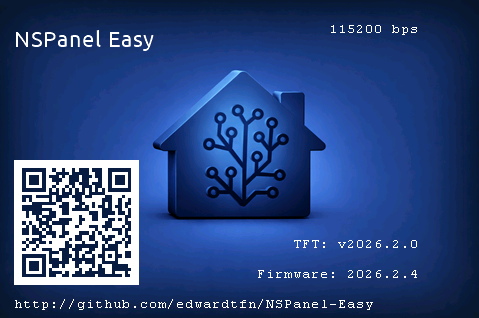
Once you have successfully installed any of the tft files from this project,
the NSPanel Blank model shouldn’t be necessary anymore and you should be able to always install the final tft file directly.
Follow the same steps described above, but now select the correct final regional model (e.g., NSPanel EU, NSPanel US, NSPanel US Landscape, or one of the CJK languages variants) before pressing Upload TFT display. Double-check this selection to avoid flashing the wrong region.
Additional Tips and Resources
We have a useful guide for troubleshooting TFT transfer issues. Please take a look there first.
After troubleshooting, if issues persist, consult the Issues and feel free to create a new one asking for more personalized assistance.
Please share as much info as possible, like:
- A description (or picture) of what is on your screen.
- Whether you are updating from a previous version of this same project, coming from another NSPanel customization (if so, which one?), or customizing for the first time a panel with original Sonoff settings.
- The ESPHome logs from when your panel starts to the moment the upload fails.
- A description of what you have already tried.
Important note
Remember, these steps are a guideline and might vary slightly based on your specific setup and previously installed system.