NSPanel-Easy
About panel models (EU x US x US landscape)
I’ve seen multiple questions about the possibilities of using the US panel in Europe, or using the US panel in landscape, etc., so I will put here some of my discoveries and thoughts about this.
The differences between the EU and US models
Probably the Sonoff page will be the best source of info around this, so please take a look there first:
Installing a US panel in EU
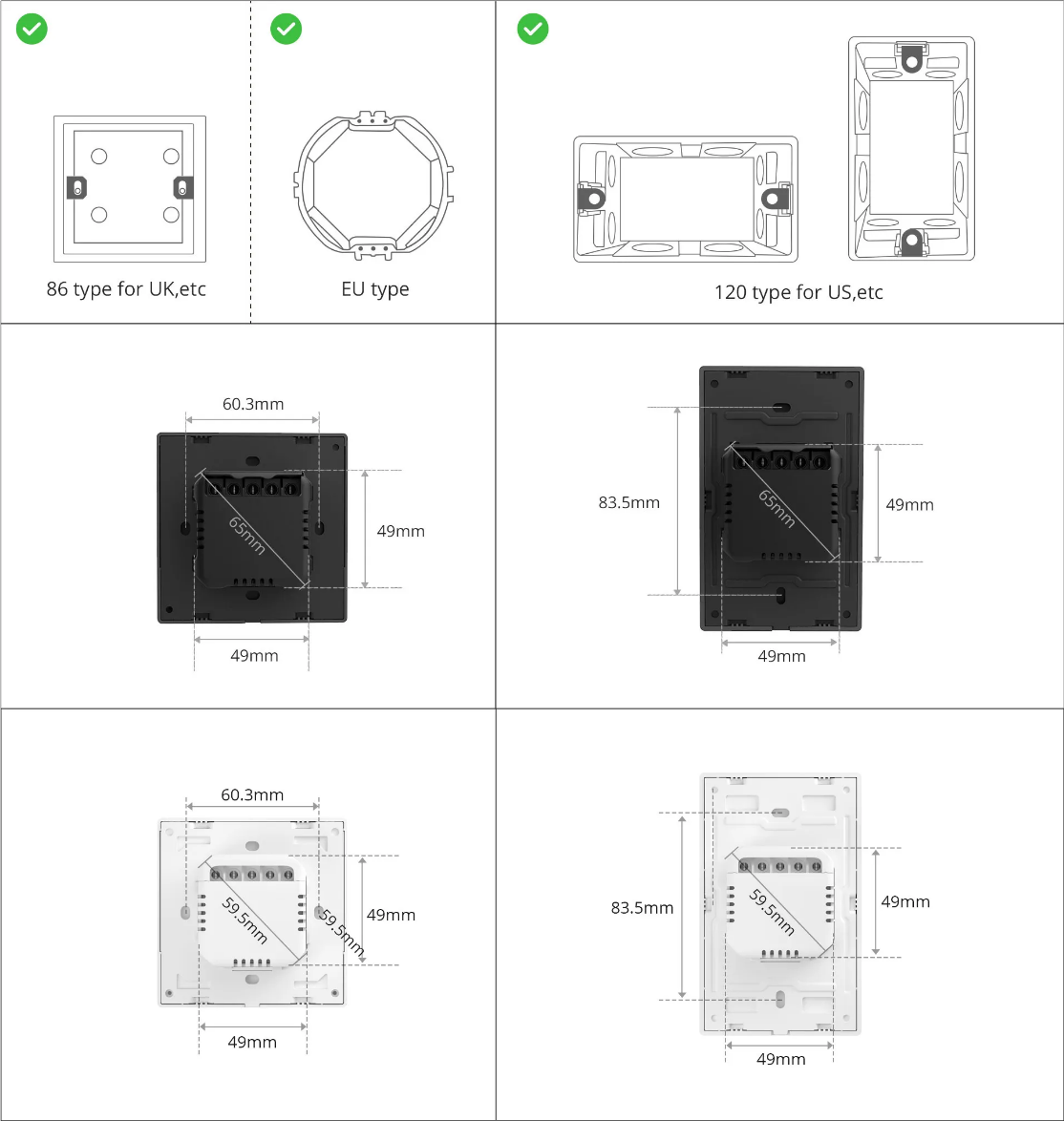
Please be aware that the standards are different, so your regular electrical box in Europe may not have the holes fitting the right place for the US model.
The screws in EU are 60mm apart, while in US they are 83.5mm and are typically on in the vertical axe,
so you probably will have to adapt your wall in order to be able to fit the US model in an European electrical box.
The screen size
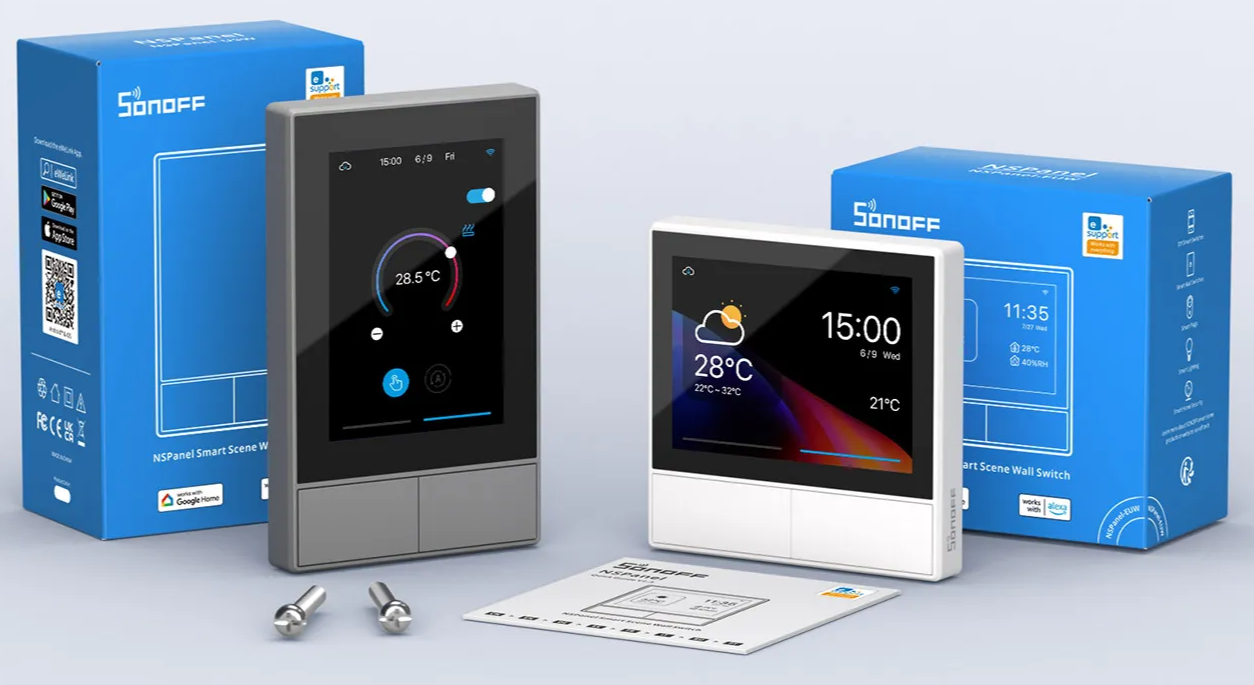
Although both models have the same screen size (480x320px vs 320x480px), you may notice some differences:
The borders in the US model are larger, giving a feeling that the screen is a bit bigger, and at the same time the smaller border on the EU model gives a feeling of a bit more modern technology
In the EU version, parts of the screen are not visible
This is a little bit of a shame, but for some reason Sonoff sacrificed a bit of the (supposed to be) visible part of the display in the EU model:
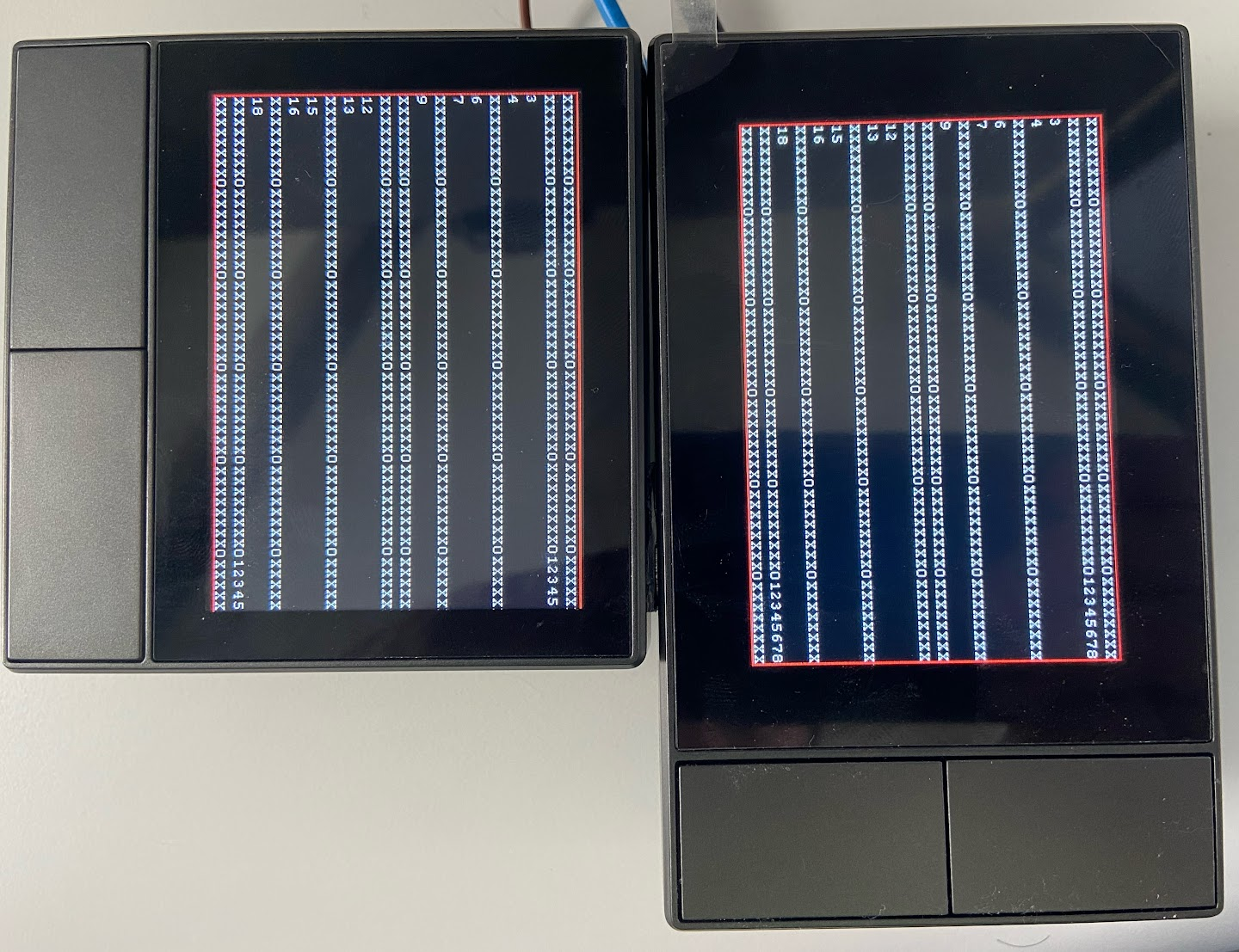
The 30 most right pixels are not visible in the EU model, making the useful area only 450x320 (although printing into that area won’t cause any issue).
As you can see in this picture, where I’ve used the exactly same TFT file for both models, the number of pixels unavailable on the EU version is not negligible.
If you are using the blueprint from this project, that shouldn’t be an issue, as the UI was developed taking these differences in account, but if you are planing to customize your displays, be aware that the US version will give you a few more pixels to play.
Using the US model in landscape mode
The US Landscape model is fully supported. Simply select NSPanel US Landscape from the Update TFT display - Model selector on your device’s page in Home Assistant and upload the TFT file as usual. This variant is purpose-built for the US panel mounted horizontally, with the physical buttons on the right side of the screen.
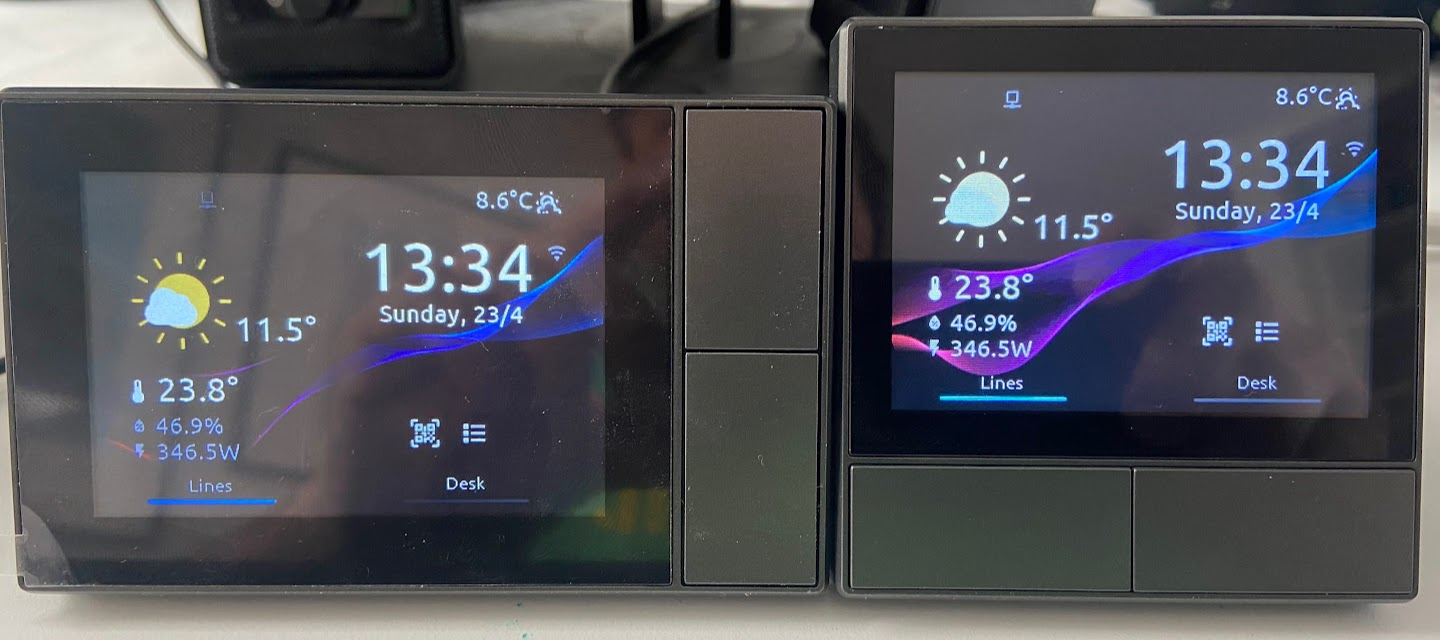
No manual TFT customisation is required.